How to Generate the Perfect Shot
Master the Vera AI engine in minutes. Follow these best practices to ensure pixel-perfect fabric translation.
Shoot a Clean Flat Lay
The foundation of a perfect AI generation is a high-quality source photo. Lay your garment flat on a neutral background with soft, even lighting. Ensure that textures, embroidery, and design details are clearly visible without harsh shadows or deep folds.
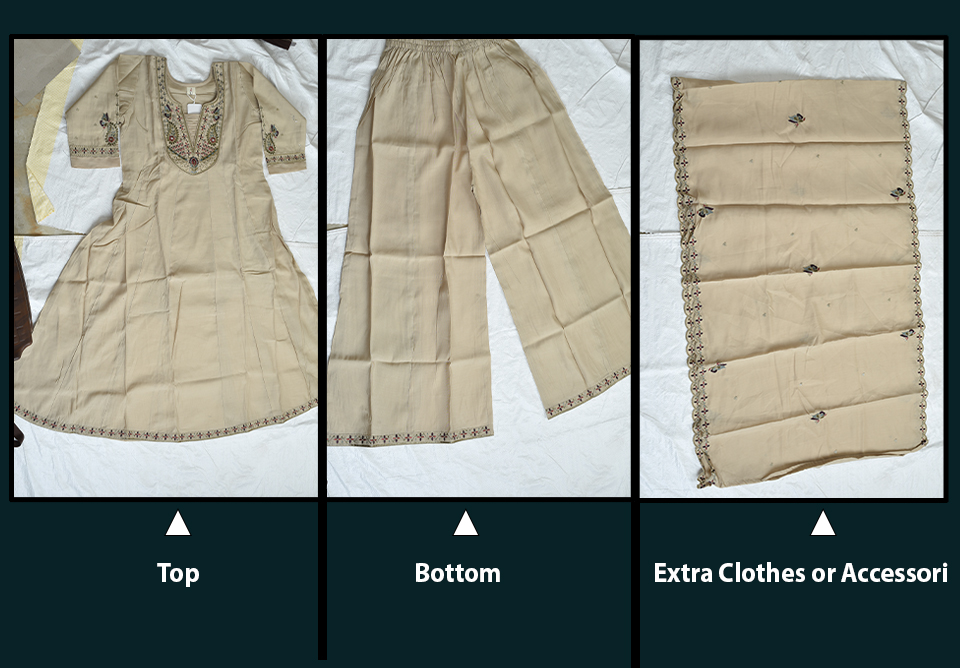
Configure Your Photoshoot Details
Customize every aspect of your shoot. Select the outfit type (1 or 2 piece), target model nationality (Indian, American, French, etc.), and model subject (Man, Woman, Kids). You can further refine with optional details like hairstyles, background locations (Studio, Outdoor, Luxury), and specific makeup looks for a truly professional result.
Preview AI Results & Download
Review your high-end AI-generated photoshoot in the interactive preview panel. Use our advanced zoom and pan controls to inspect every stitch and fabric detail. Once you are satisfied with the photorealistic output, download your campaign-ready assets in ultra-high 4K resolution instantly.