Two categories of mockup tools
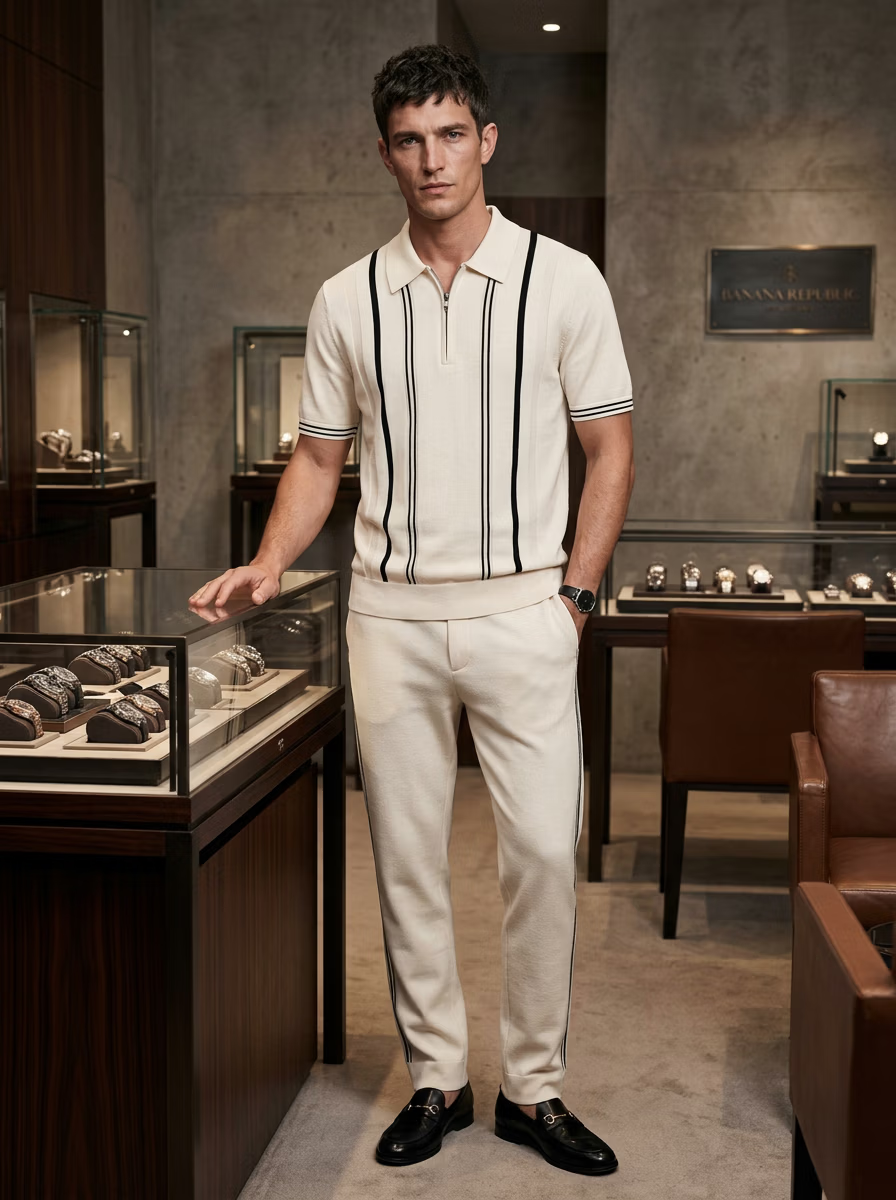
Flat template generators paste your design onto a 2D garment template — fast and fine for quick previews, but obviously flat. Photorealistic on-model generators place your actual garment on a real-looking model with natural drape and lighting, which is what sells on a product page.
If you want a true on-model result, you want the second category — like VERA's mockup generator.
How to compare them
Judge any mockup tool on these points:
- Realism — flat template vs photorealistic on-model
- Garment accuracy — does your design stay true?
- Apparel range — tees only, or ethnic, active and swimwear too?
- Output resolution and commercial licensing
- Bulk/catalog support
When to use each
Use a flat template tool for rapid concept previews or print-on-demand thumbnails. Use a photorealistic on-model generator for product pages, ads and lookbooks where believability drives conversion.
For high-volume catalogs, a done-for-you option matters — see VERA's editor service.
The bottom line
For apparel that needs to sell, on-model wins. Compare real output in the gallery and read how it fits a full workflow in AI fashion photography for ecommerce.
Ready to create on-model photos?
Upload a garment and let VERA generate photorealistic AI fashion model shots in seconds — no studio, model, or photographer.
Frequently Asked Questions
What's the difference between flat and on-model mockups?
Flat mockups paste art on a 2D template; on-model mockups show your garment worn by a photorealistic model with real drape and lighting.
Which is better for ecommerce?
On-model mockups convert better because shoppers can see fit and drape; flat mockups suit quick previews and print-on-demand.
Do mockup tools keep my design accurate?
The best ones do. VERA preserves your garment's colour, print and fabric while generating the model.
Can I generate mockups in bulk?
Yes — VERA supports catalog-scale generation and offers a done-for-you editor service for large orders.